ToxGenie: The Automated Statistical Solution for Toxicologists.

ToxGenie automates complex statistical decisions. Get OECD, EPA, and GLP-compliant reports 70% faster.

30-Day Free Trial • No Credit Card Required • Windows OS Only
General statistical tools weren't built for toxicology.

They are built for statisticians. The result? Wasted hours, compliance risks, and endless frustration.
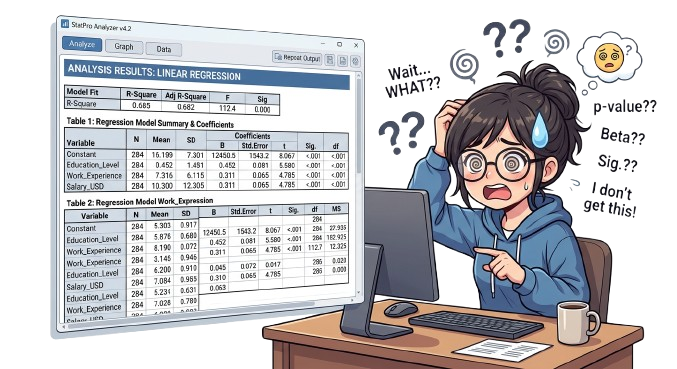
Illustration showing a researcher confused by complex statistical output tables -representing the challenge of manual toxicity data analysis without dedicated software

Drowning in Data, Starving for Context.

Staring at a wall of p-values and confidence intervals. General tools give you raw numbers, leaving you to spend hours figuring out what they actually mean for your toxicity study.
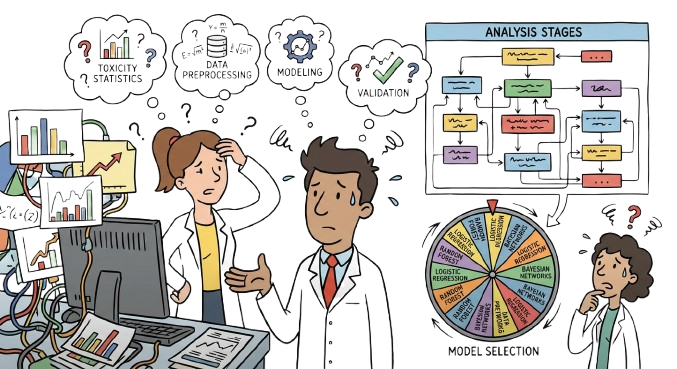
The "Which Test Do I Use?" Anxiety.

Parametric or non-parametric? Dunnett’s or Dunn’s? Choosing the wrong statistical model isn’t just frustrating—it leads to inconsistent results and regulatory rejection.
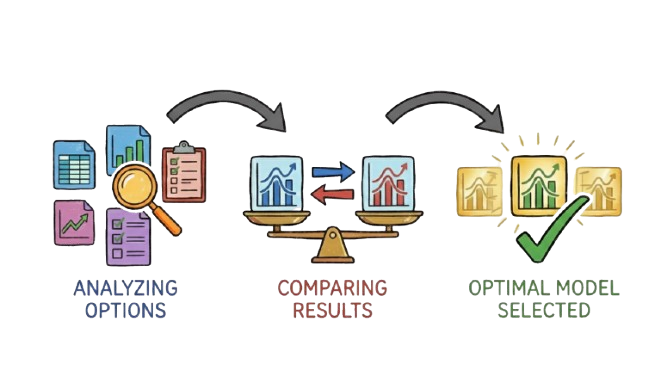
Illustration of scientists confused by statistical decision-making — depicting uncertainty about choosing between parametric and non-parametric tests, and interpreting effect sizes in toxicity studies.
Diagram showing three stages of manual statistical model selection — analyzing options, comparing results, selecting optimal model — illustrating the time-consuming process that ToxGenie automates for toxicity endpoint calculation

The "Black Box" Trap.

You get a result, but can’t explain the logic behind it. When GLP auditors or peer reviewers ask “Why this method?”, you need a transparent answer, not guesswork.
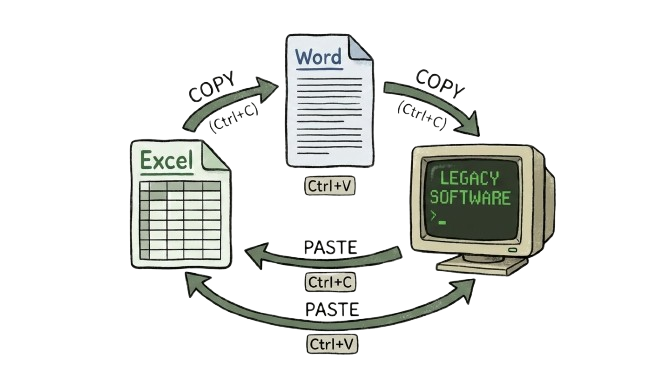
Endless Copy-Paste Fatigue.

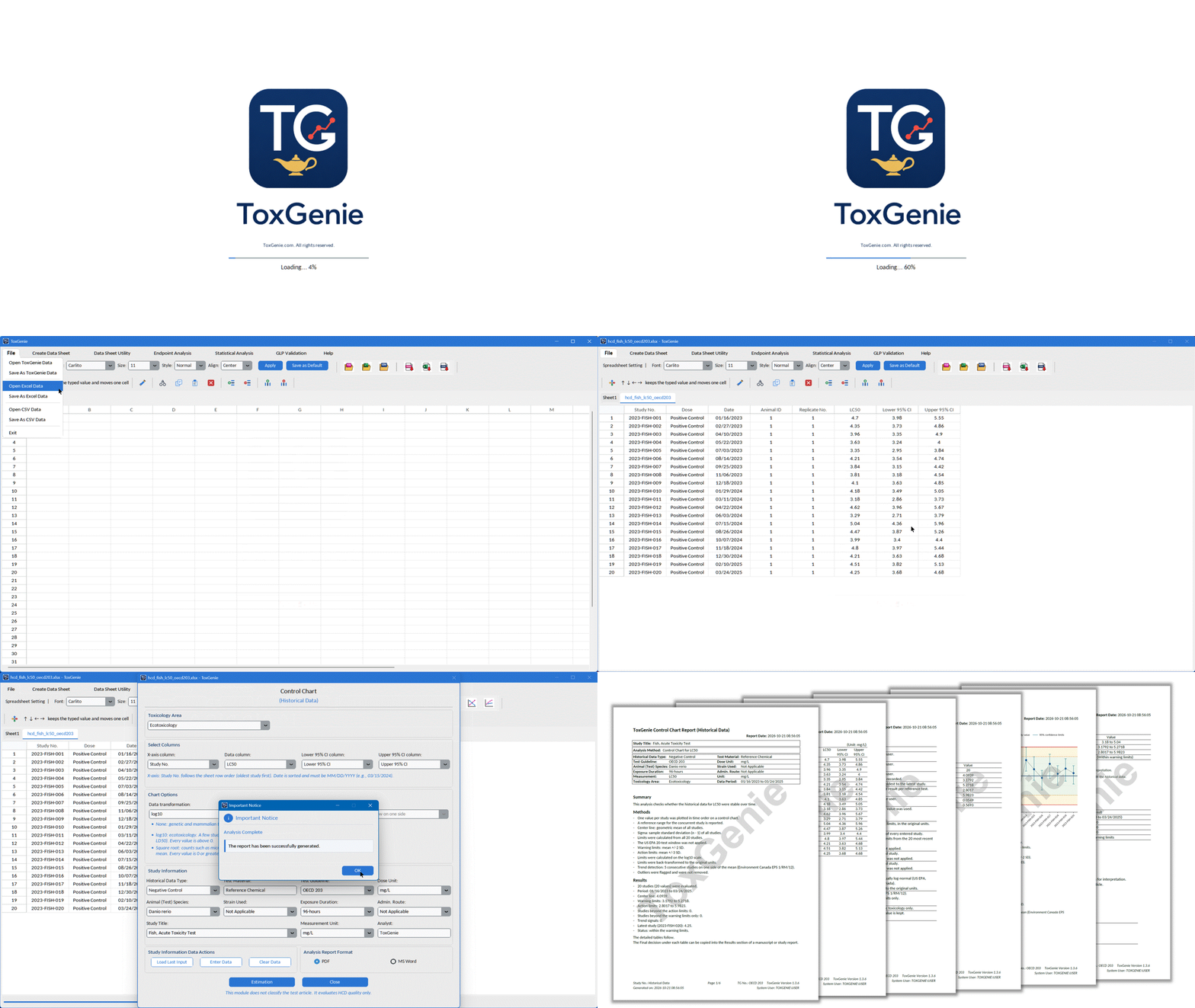
Moving data from Excel to a stat tool, then manually copy-pasting tables into Word for GLP reports. It’s mind-numbing manual labor that introduces fatal human errors.

Diagram showing repetitive copy-paste workflow between Excel, Word, and legacy statistical software for preparing toxicity study tables, graphs, and regulatory reports — a workflow ToxGenie consolidates into one platform.

Meet ToxGenie. The automation you’ve been waiting for.

The first toxicology-dedicated software that integrates Endpoint Analysis and

Advanced Statistics in one intuitive platform.

Get ECx, LCx, LDx, ICx and 95% CI in Minutes, Not Hours.

Stop guessing which model to use.

ToxGenie intelligently evaluates your input data (Quantal, Count, or Quantitative) and automatically applies the optimal point estimation method. 100% GLP and OECD compliant.

Point Estimation

Applied when no partial mortalities exist and group reaches 100% mortality.

Applied when no partial mortalities exist but at least two group reaches 100% mortality.

Requires a monotonically increasing response with exactly one partial mortality group.

Applied when the dose-response pattern is not monotonically increasing.

Applied when only 2–3 partial mortality groups are present.

Requires a minimum of 4 partial mortality groups with goodness-of-fit assessed by chi-square (χ²) test.

Applied exclusively to quantitative/continuous data, not binary mortality outcomes.

“Check the reliability of ToxGenie’s analysis results”

How does ToxGenie automatically select the point estimation method for EC50 or LC50?
Q Q

ToxGenie evaluates three properties of your input data: data type (quantal, count, or quantitative), the number and pattern of partial effects, and whether the dose-response relationship is monotonic. Based on these properties, it automatically applies the most appropriate method — Spearman-Kärber, Probit (Maximum Likelihood), Logit, or Non-Linear Regression — without any manual selection.

EC50 (Effect Concentration 50%) is the concentration that causes a 50% effect in a biological system, typically used in sub-lethal toxicity tests such as algae growth inhibition or Daphnia immobilization. LC50 (Lethal Concentration 50%) is the concentration that kills 50% of test organisms, used in acute lethality studies with fish or invertebrates. IC50 (Inhibition Concentration 50%) refers to 50% inhibition of a specific biological process. ToxGenie calculates all three, along with 95% confidence intervals, automatically.

Yes. ToxGenie automatically calculates 95% confidence intervals for all point estimates including EC10, EC20, EC50, LC50, and LD50. The confidence interval method is selected based on the estimation method used — for example, Abbott’s correction for Spearman-Kärber, or profile likelihood for Probit Maximum Likelihood. This output is required by OECD and EPA toxicity test guidelines.

Automated Hypothesis Testing for NOEC & LOEC.

ToxGenie doesn’t just give you a number.

It automatically runs normality and homogeneity assessments, selects the correct parametric or non-parametric test, and provides a 100% transparent, statistically defensible decision path.

Hypothesis Test

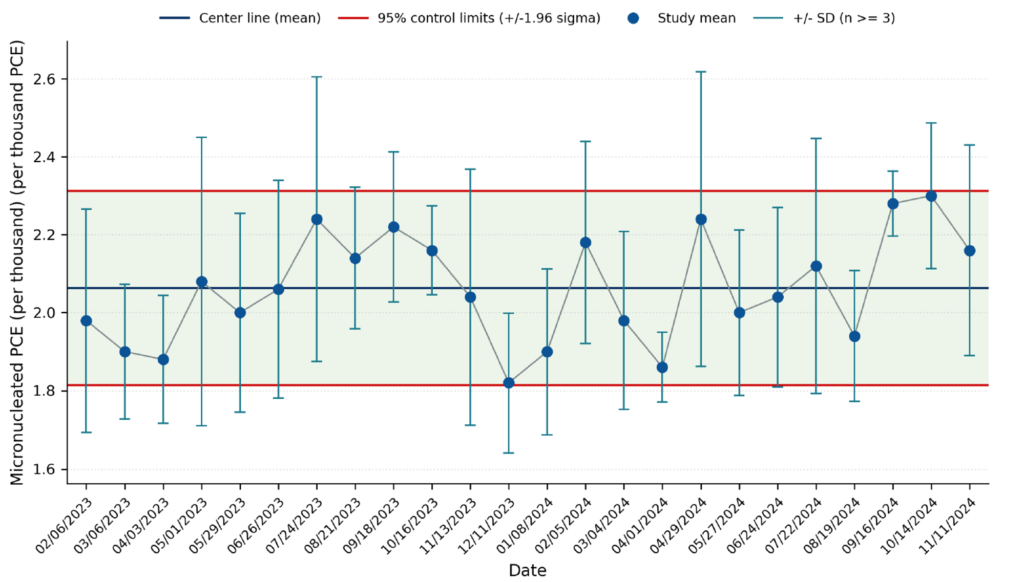
Performed to detect and handle extreme values that may distort statistical analysis.

Evaluates whether data follows normal distribution and has equal variance across groups.

Applied when data is non-normal or heterogeneous to meet parametric test assumptions.

Pre-planned comparisons between control and treatment groups before statistical testing.

Used when data is normally distributed with homogeneous variance (e.g. Dunnett’s test, t-test).

Applied for non-normal or heterogeneous data (e.g. Steel’s test, Wilcoxon rank sum test).

“Check the reliability of ToxGenie’s analysis results”

What statistical test is used for NOEC and LOEC determination in toxicity studies?
Q Q

The correct test depends on your data properties. ToxGenie automatically determines which test to apply: for normally distributed data with equal replicates, Dunnett’s Test is used; for unequal replicates, T-Test with Bonferroni Adjustment; for non-normally distributed data with equal replicates, Steel’s Many-One Rank Test; for non-normal data with unequal replicates, Wilcoxon Rank Sum Test with Bonferroni Adjustment. All decisions are documented automatically in the analysis report.

NOEC (No Observed Effect Concentration) is the highest tested concentration at which no statistically significant effect is observed compared to the control group. LOEC (Lowest Observed Effect Concentration) is the lowest tested concentration at which a statistically significant effect is first detected. Together, NOEC and LOEC define the threshold range of a substance’s toxic effect and are required endpoints in most OECD chronic toxicity test guidelines.

Parametric tests such as Dunnett’s Test assume that data follow a normal distribution. If this assumption is violated, the test results may be unreliable and lead to incorrect NOEC or LOEC values. ToxGenie automatically applies a normality test (Shapiro-Wilk) and a homogeneity of variance test (Levene’s Test) before selecting the appropriate statistical method, ensuring the analysis is valid and meets OECD and GLP requirements.

Beyond Endpoints: Advanced Statistics Built Strictly for Toxicology.

Stop navigating bloated, general-purpose software.

ToxGenie focuses only on the specific requirements of OECD and US EPA test guidelines. Input your data, and the software instantly applies the correct statistical test.

Statistical Analysis

Evaluate the occurrence and distribution of quantal response data with Chi-Square or Fisher’s Exact Tests.

Identify dose-related trends using powerful tools like Cochran-Armitage (CA) Test, Jonckheere-Terpstra (JT) Test, and Linear Contrast F-Test to determine the direction of toxic effects.

Directly compare control vs. treatment groups using Student’s t-test (parametric) or Mann-Whitney U test (non-parametric) based on normality.

Execute comprehensive comparisons across multiple dose levels with ANOVA or Kruskal-Wallis, followed by automated post-hoc tests (Dunnett’s, Bonferroni, etc.).

“Check the reliability of ToxGenie’s analysis results”

What statistical tests does ToxGenie use for toxicity data analysis?
Q Q

ToxGenie covers four major analysis categories used in OECD toxicity test guidelines: Frequency Analysis (Chi-Square Test, Fisher’s Exact Test), Trend Analysis (Cochran-Armitage Test), Two-Group Comparison (t-Test, Mann-Whitney U Test), and Multi-Group Comparison (Dunnett’s Test, Steel’s Many-One Rank Test, Wilcoxon Rank Sum with Bonferroni Adjustment). The correct test is selected automatically based on the properties of your input data.

The Chi-Square Test is used for quantal (categorical) toxicity data when the expected frequency in each cell of the 2×2 contingency table is 5 or greater. When expected frequencies are below 5 — which commonly occurs with small sample sizes or rare events in toxicity studies — Fisher’s Exact Test is used instead. ToxGenie automatically checks expected frequencies and selects the appropriate test, eliminating a common source of error when using general statistical software.

General statistical software  requires users to manually select the correct statistical test, which is a common source of error in toxicity studies. ToxGenie is built specifically around OECD toxicity test guideline requirements and automatically applies the correct test based on the data type and study design. It also outputs NOEC, LOEC, and ECx endpoints directly, which general tools do not support without custom scripting.

OECD TG 201 Automated: The Algae Test Workflow, Perfected.

Stop processing biomass data manually. 

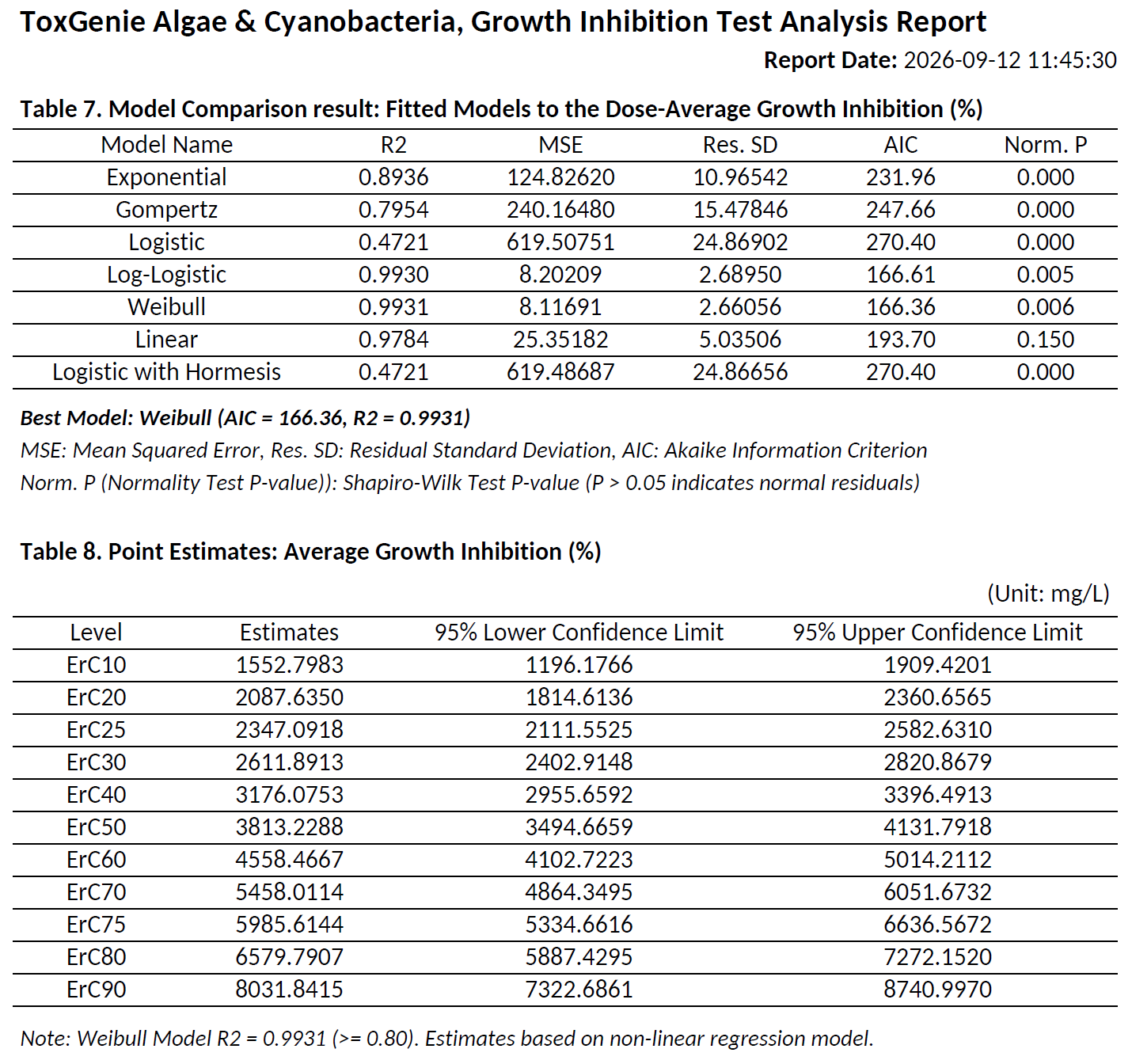
ToxGenie delivers a complete, regulation-ready analysis for freshwater algae and cyanobacteria from raw data to ECx, NOEC, and validation criteria in a single click.

ToxGenie-Exclusive Feature — Not available in any general statistical software

Limit & Definitive Test Validation

Automatically calculates test validity for both Limit and Definitive scenarios to ensure strict compliance with OECD TG 201 acceptance criteria.

OECD TG 201 ·Validity Criteria Auto-Checked

EC10, EC20, EC50 + 95% CI

Seamlessly estimates effect concentrations for both Average Growth Rate and Yield using optimized Non-Linear Regression models.

Non-Linear Regression · Auto model selection

Automated NOEC & LOEC

Evaluates normality and homogeneity in the background, instantly applying the correct parametric or non-parametric test to determine NOEC/LOEC.

Dunnett · Steel's Many-One

Limit Test Confirmation

Instantly confirms whether significant growth inhibition exists at the limit concentration for both Growth Rate and Yield via Two-Group Comparison.

Two-Group Comparison Auto-Selected
What software is used for OECD TG 201 algae growth inhibition analysis?
Q Q

ToxGenie is the only dedicated toxicology software that fully automates OECD TG 201 analysis — including EC10, EC20, EC50 with 95% CI, NOEC, LOEC, and growth curve plotting — for both Average Growth Rate (μ) and Yield (Y) in a single workflow, without coding or manual test selection.

ToxGenie applies Non-Linear Regression to the dose-response data from your algae growth inhibition study, fitting the most appropriate model to estimate EC50 (and EC10, EC20) along with their 95% confidence limits — for both growth rate and yield endpoints simultaneously, per OECD TG 201 requirements.

ToxGenie automatically selects the correct test: for equal replicates with normal data, Dunnett’s Test is applied; for unequal replicates, T-Test with Bonferroni Adjustment; for non-normal data, Steel’s Many-One Rank Test or Wilcoxon Rank Sum Test with Bonferroni Adjustment. The decision is fully automated based on your dataset’s properties.

“Check the reliability of ToxGenie’s analysis results”

Stop Guessing Your Study Design. Predict Definitive Test Concentrations Instantly.

ToxGenie is the only toxicology software that automatically translates your preliminary (range-finding) data into an optimal, OECD-compliant geometric concentration series.

Perfect for both acute and chronic studies. No manual calculations. 

ToxGenie-Exclusive Feature — Not available in any general statistical software

Acute Toxicity Concentration Prediction

Input your range-finding data. ToxGenie analyzes the response pattern and generates a geometric series perfectly spaced to capture the full dose-response curve (0% to 100% effect), ensuring precise calculation of LC50, EC50, and LD50.

Auto Concentration Series (Acute)

Chronic Toxicity Concentration Prediction
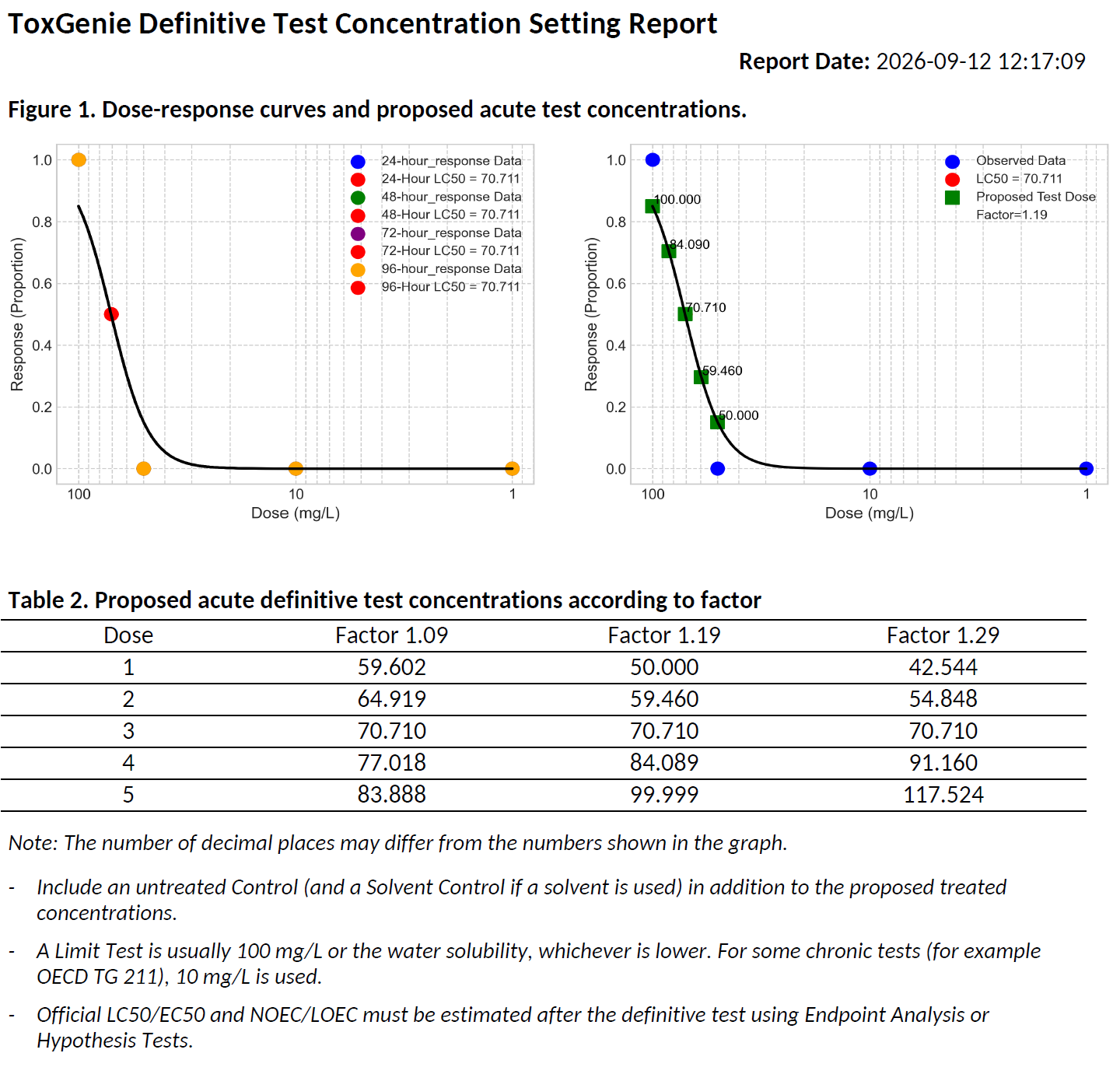
Chronic tests require different sensitivity. ToxGenie evaluates your preliminary data and predicts a tighter concentration series strictly optimized for detecting low-dose chronic endpoints like NOEC, LOEC.

Auto Concentration Series (Chronicute)
How do I determine the concentrations for a definitive toxicity test?
Q Q

In ToxGenie, you enter your range-finding (preliminary) test data — concentrations and observed effects — and select either acute or chronic test type. ToxGenie automatically analyzes the dose-response pattern and predicts an optimal geometric series of concentrations for your definitive test, designed to capture the full effect range from 0% to 100%, as required by OECD toxicity test guidelines.

ToxGenie is the only dedicated toxicology software that automatically predicts definitive test concentrations from range-finding data. General statistical tools such as GraphPad Prism, SPSS, SAS or Excel do not include this feature. ToxGenie supports both acute and chronic toxicity test types and outputs an OECD-aligned geometric concentration series, making it especially useful for graduate students and researchers new to toxicity testing.

A geometric concentration series is a set of test concentrations where each value is multiplied by a constant factor (e.g., 10 or 2…). This spacing ensures even coverage across log-scale dose-response curves and is the standard format recommended by OECD and EPA toxicity test guidelines. ToxGenie automatically calculates the appropriate spacing factor and series based on your range-finding data.

Built for Toxicology. Not Just General Statistics.

General tools like Excel, GraphPad, SPSS, and R were built for broad use, meaning they are not optimized for the exact needs of your toxicology lab. They require manual test selection, lack endpoints specific to OECD guidelines, and demand hours of manual formatting. ToxGenie is the only platform built entirely for toxicologists and GLP CROs to deliver fully compliant results without requiring a single line of code.

70%+ Faster Analysis

From raw data to a GLP-ready report in one click, compared to manual workflows.

ZERO Coding Required

No stats degree or coding knowledge is required. Just upload and click.

10+ Toxicology Automations

OECD validity checks and model selections not found in any general software.

With general statistics software

Manual Decision Trees

decide analysis procedures and methods yourself

Scattered Tools (Excel+Stats+Word)

switch between analysis software, Excel, and Word to prepare results

No NOEC · LOEC output

requires custom scripting or manual calculation

Numbers only

no interpretation of what results mean for your study

With general statistics software

Automated OECD Compliance

decide analysis procedures and methods yourself

All-in-One Workflow

switch between analysis software, Excel, and Word to prepare results

Instant NOEC, LOEC & ECx etc.

No requires custom scripting or manual calculation

Plain-English Interpretations

Every result explained in the report automatically

How much time does ToxGenie save compared to manual toxicity data analysis?
Q Q

ToxGenie reduces analysis time by approximately above 70% compared to manual workflows using general statistical software. Algae Growth Inhibition Test analysis that typically takes 3-4 hours using separate statistics, graphing, and word processing tools is completed in under 30 minutes hours with ToxGenie. This includes endpoint calculation (NOEC, LOEC, ECx), statistical test selection, report generation in PDF and MS Word format, and plain-language interpretation of all results.

Yes. ToxGenie requires no statistical expertise or coding knowledge. It automatically selects the correct test from your data, explains every decision in plain language, and provides written interpretation of all results. Graduate students can complete their first toxicity data analysis correctly without needing to understand the underlying statistical theory.

Excel can perform basic calculations but is not suitable for professional toxicity data analysis. It does not support automatic statistical test selection, has no built-in NOEC, LOEC, or ECx calculation functions, and produces no structured regulatory reports. Using Excel for GLP studies requires extensive manual configuration and introduces a high risk of errors in test selection and data handling. ToxGenie automates all of these steps and produces audit-ready outputs aligned with OECD Test Guidelines.

Reports That Explain Why and What It Means

Numbers alone aren’t enough for regulatory submissions.

ToxGenie is the only software that automatically generates GLP-ready reports in PDF and MS Word, complete with plain-English interpretations and bulletproof statistical rationales. Ready for journals, ready for auditors.

ToxGenie-Exclusive Feature — Not available in any general statistical software

Data Translated into Insights

Every output includes a written interpretation in plain English. Instantly understand what the numbers mean, whether the effect is significant. no statistical degree required.

Plain-Language Interpretation

Bulletproof Statistical Rationale

Never struggle to justify your methods to reviewers again. ToxGenie explicitly documents exactly why a specific test (e.g., Dunnett’s) was chosen, detailing normality and homogeneity results step-by-step.

Audit-Ready Defense

Workflow-Ready Formats (Word & PDF)

The editable .docx report lets you copy tables, results, and interpretation text directly into your GLP Final Report or journal manuscript. No tedious reformatting. No copy-paste errors between tools.

Ready for GLP & Journals
Does ToxGenie explain why a specific statistical test was selected?
Q Q

Yes. Every ToxGenie report documents the complete statistical decision process including normality test results (Shapiro-Wilk), homogeneity of variance assessment (Levene’s Test), and replicate structure. Each report explains in plain language why each test was automatically selected, making your analysis fully auditable for GLP studies and defensible in peer review.

Yes. Unlike general statistical software that outputs only p-values and tables, every ToxGenie report includes a plain-English interpretation of each result: what the NOEC or EC50 value means, whether the effect is statistically significant, and how to understand the finding in the context of your toxicity study. This is especially valuable for graduate students and researchers new to toxicity testing.

ToxGenie generates statistical analysis reports in both PDF and MS Word (.docx) format. The PDF format is ideal for regulatory submission and archiving. The MS Word format allows you to copy and paste tables, results, and interpretation text directly into your GLP Final Report or journal manuscript without any reformatting.

Ready to automate your toxicology analysis?

Join the researchers and GLP contract research organizations saving hours on every study.

30-Day Free Trial • No Credit Card Required • Windows OS Only